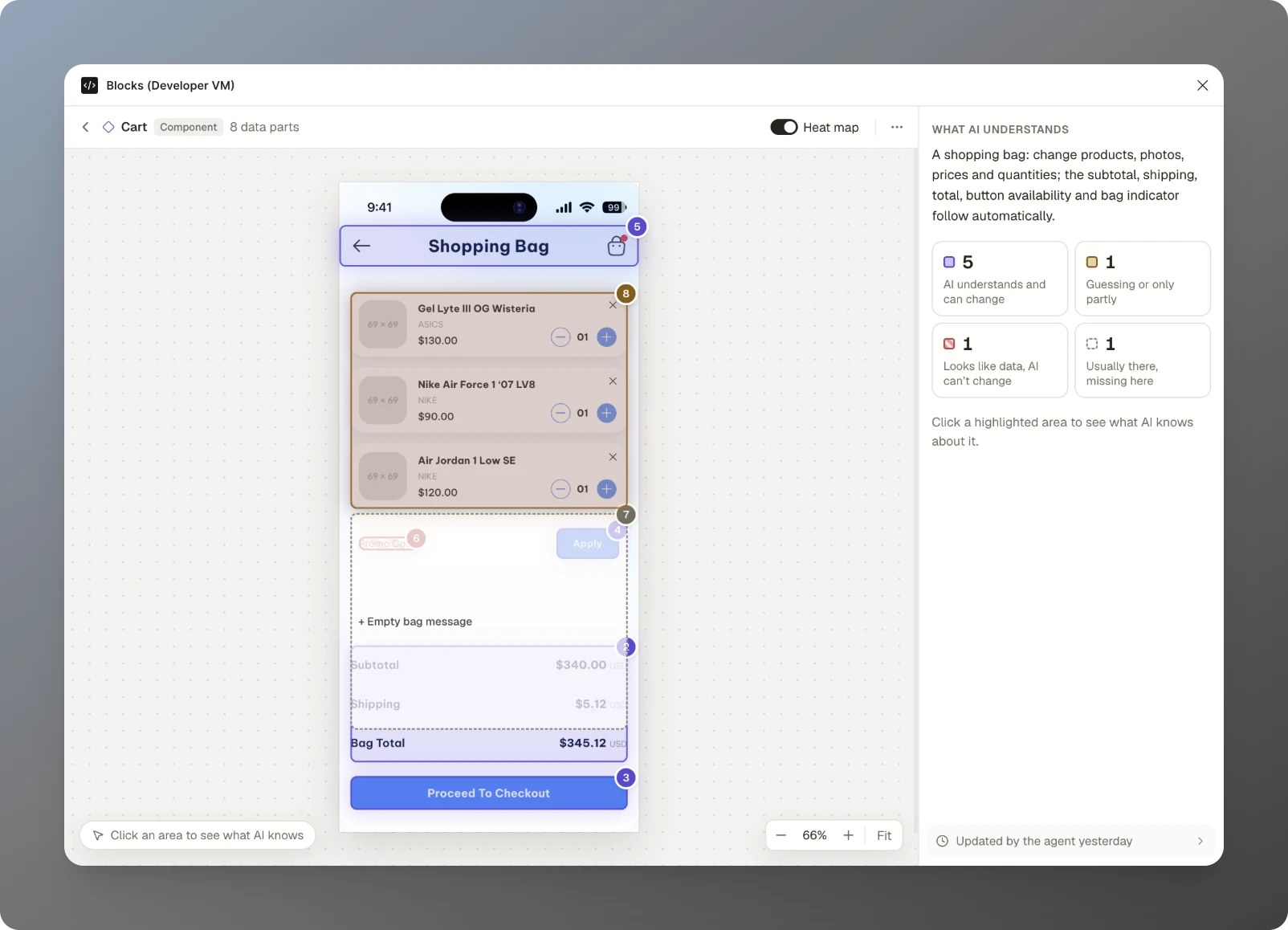
Why does Blocks exist?
Building the first components of a design system is easy. Keeping them useful is the hard part. Complex components need an onboarding session just to fill in, data ends up hanging on top of pixels, and when AI edits a design it changes the text but leaves the total, the count and the empty state wrong. Blocks gives a component its data, and the rules that connect that data to what you see, so AI can change what's in it without breaking it.
Jinson made the case in “Making Figma Components Smart: Why Design Systems Need a Logic Layer”, where it started in January 2026 as Block, a weekend proof of concept.
How does it work?
Blocks is a Figma plugin plus two skills for Figma's agent.
- Make a component AI ready. Select a main component or a whole screen and ask the agent:
/block-create Make this component AI ready. It works out the component's data, totals and states, and checks its reading with you before saving. - Change the data by asking. Select a copy and ask:
/block-update 3 running shoes under $100. The content changes, and totals, counts and states update by themselves. When the items change, it offers to make matching photos. - See what AI understands. Open Blocks on a component for a heat map of every part: what AI can change, what it's guessing, what it can't reach, and what's missing from the design. Every change the agent makes is listed, with what was asked and what updated by itself.
How did Block become Blocks?
Block began as a scripting layer: designers wrote a component's logic in plain JavaScript, and a hidden layer kept the data intact across variants. Version 0.2.0, in November 2026, turned it around. The setup now happens in conversation with Figma's agent, through the skills, and the plugin became the place to see how well AI understands each component and to fill it with data. One entry point, no menus: select nothing for a dashboard of every AI-ready block in the file, a component for its heat map, or a copy to edit its fields.
Jinson presented the thinking behind it at Friends of Figma Dubai's Show & Tell in October 2026, in a talk called “Teaching AI to understand design systems”.

Timeline
- Jan 2026Introduced as a weekend proof of concept in “Why design systems need a logic layer” (Bootcamp)
- Apr 2026Block beta at blocks.is: typed inputs and a logic layer for Figma components
- Oct 2026Shown at Friends of Figma Dubai’s Show & Tell: “Teaching AI to understand design systems”
- Nov 2026Blocks 0.2.0: renamed, and rebuilt as an AI-readiness layer with two skills for Figma’s agent