Deck · since Dec 2017

Figma frames to fully editable PowerPoint

By · Updated

From deck.is

users on Figma Community
163k
presentations converted
1M+
likes on Figma Community
4.2k

Used by designers at

  • Accenture
  • Mastercard
  • Nike
  • Amazon
  • Apple
  • SAP
  • Salesforce
  • Google
  • Samsung
  • Adidas
  • PayPal

Also Deloitte, EY, PwC, LEGO and Microsoft.

Used by designers at Accenture, Mastercard, Nike, Amazon, Apple, SAP, Salesforce, Google, Samsung, Adidas, PayPal, Deloitte, EY, PwC, LEGO, Microsoft.

In short

Deck is a Figma plugin by Jinson Johny that converts design frames into editable PowerPoint (PPTX) files with real text, shapes and images. He started it in December 2017 as a Sketch plugin; it has since been installed by 160,000+ designers and converted more than one million presentations. Designers at Accenture, Mastercard, Nike, Amazon, Apple and SAP have used it.

Why does Deck exist?

Designers make great slides in design tools, then lose hours rebuilding them in PowerPoint because clients need an editable file. Exporting images loses editability, and rebuilding by hand loses fidelity. Deck removes that step.

How does it work?

  1. Install Deck from Figma Community.
  2. Select the frames you want as slides.
  3. Export. Each frame becomes an editable PowerPoint slide with real text and shapes.

The free tier converts 50 slides a month; Pro is a one-time $89.

How it grew

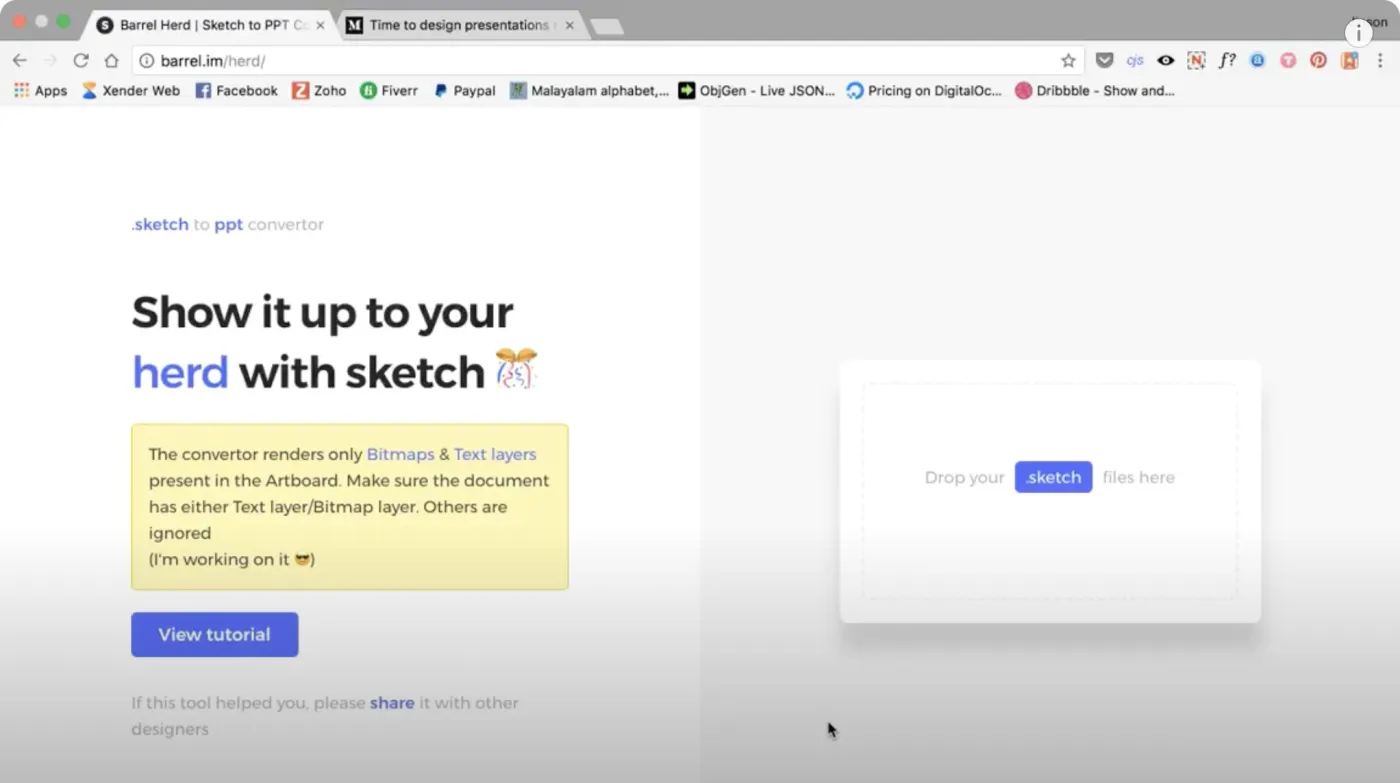
  1. Dec 2017First version for Sketch, built with almost no coding experience
  2. 2020Deck 1.0 and the Figma plugin
  3. 2025Relaunched with a paid tier after five free years
  4. 2026163k users on Figma Community, 1M+ presentations

What eight years taught me

Deck is how I learned to code. I started it in December 2017 with almost no coding experience, and keeping it working since has taught me more than any course.

The first lesson was file formats. A PowerPoint file is a ZIP of XML parts, and every shape, text box and image has to be written exactly right before PowerPoint will open it. Getting that right, slide after slide, showed me how a file format is really put together.

The second was how design tools work underneath. To convert a design, Deck has to read it the way the tool stores it, first in Sketch and then in Figma: a tree of layers with their own layout, styles and constraints, exposed through the plugin API. Turning that model into PowerPoint's taught me how interface software is built, not just how to use it.

Both lessons ended up as the groundwork for .gui. Designing an open file format for interfaces meant knowing how design tools structure a screen and what their APIs expose, and Deck had already taught me both.


How did Deck evolve?

Work in progress, as Jinson posted it on X. Jan 2020 to Aug 2025.

  1. Working on a Sketch, Figma and XD to PowerPoint converter, as an offline tool. Phase one: Sketch to PPT.

    Working on a Sketch, Figma and XD to PowerPoint converter, as an offline tool. Phase one: Sketch to PPT.

    View post on X from Jan 2020
  2. 5 years later

    Deck for Figma reaches 100,000 users.

    Deck for Figma reaches 100,000 users.

    View post on X from Nov 2024
  3. 7 months later

    Looking back: in 2017 I built a tool to turn Sketch designs into slides without really knowing JavaScript. It barely worked, but people used it because they needed it.

    Looking back: in 2017 I built a tool to turn Sketch designs into slides without really knowing JavaScript. It barely worked, but people used it because they needed it.

    View post on X from Jun 2025
  4. New export settings ship in the Figma plugin.

    View post on X from Jul 2025
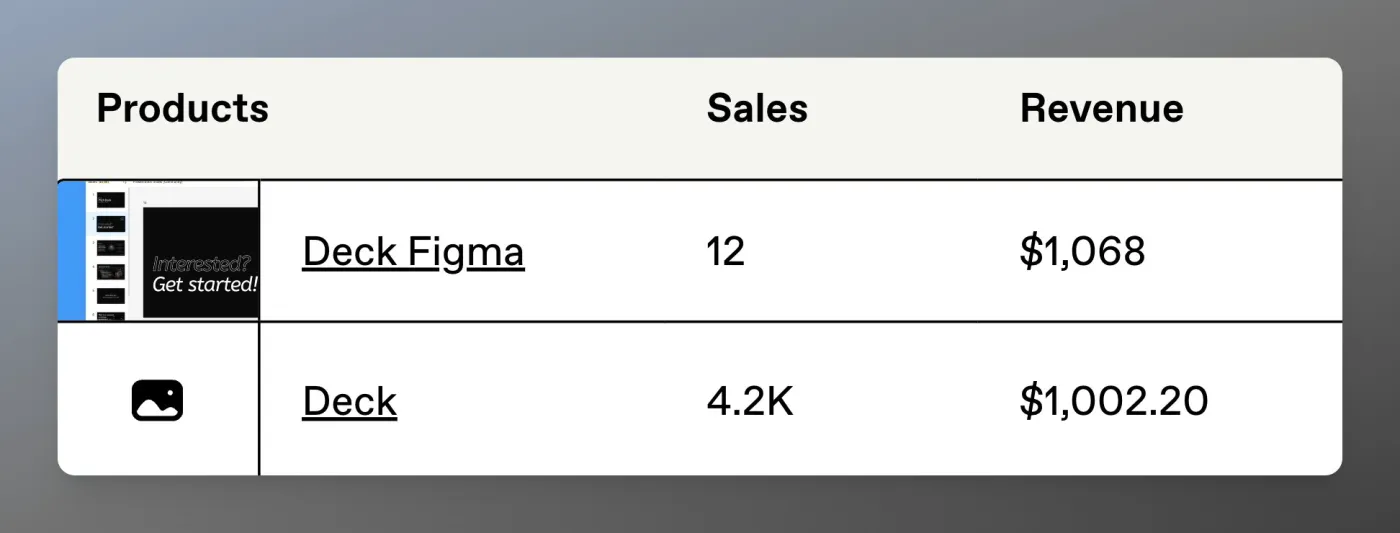
  5. Deck for Sketch was free and earned $1,002.20 in donations. After seven years as a free tool, Deck for Figma goes freemium.

    Deck for Sketch was free and earned $1,002.20 in donations. After seven years as a free tool, Deck for Figma goes freemium.

    View post on X from Aug 2025
  • Dec 2025TPIsoftware blog · A Traditional Chinese how-to by a TPIsoftware writer on turning Figma designs into PowerPoint with Deck, comparing its output with Figma Slides' export.Article on TPIsoftware blog
  • Aug 2024Ahmad Merheb's blog · A personal blog post listing Deck among the best Figma plugins.Article on Ahmad Merheb's blog
  • Feb 2024Figma Forum · Figma's Community Support team pointed to Deck in a feature-request thread on exporting Figma to editable PowerPoint.Thread on Figma Forum
  • Jan 2024SitePoint · Included Deck 2.0 in SitePoint's roundup of Figma plugins, for converting designs into editable PowerPoint.Article on SitePoint
  • Dec 2023iPixel Creative blog · A Singapore web agency's blog put Deck 2.0 first in a list of 15 UX/UI productivity tools.Article on iPixel Creative blog
  • Dec 2023Figmapedia · A community-written Korean Figma glossary entry that recommends Deck for exporting to PowerPoint.Entry on Figmapedia
  • Sept 2023WPS Office blog · WPS Office's own blog covered Deck as one of three ways to export presentations from Figma to PowerPoint, with a step-by-step guide.Article on WPS Office blog
  • Jun 2023LinkedIn · A designer's LinkedIn article listing Deck 2.0 among 15 essential Figma plugins.Article on LinkedIn
  • Jan 2023Bootcamp (Medium) · A contributor to Bootcamp, a community publication on Medium, listed Deck among new Figma plugins to try in 2023.Article on Bootcamp (Medium)
  • Dec 2022UX Planet (Medium) · A contributor to UX Planet, a community publication on Medium, listed Deck among 10 Figma plugins to try in 2023.Article on UX Planet (Medium)
  • Dec 2022Medium · A designer's Medium post listing Deck among six Figma plugins that deserve attention.Article on Medium
  • Sept 2020Sketch · Featured in Sketch's official newsletter.
  • Jan 2018Sidebar · Sidebar, a curated daily design-links site, featured Barrel's announcement of the Sketch-to-PowerPoint plugin that became Deck.Link on Sidebar
  • Infourok · A Russian online course lesson on editable materials that has students install Deck.Lesson on Infourok
Next project.gui